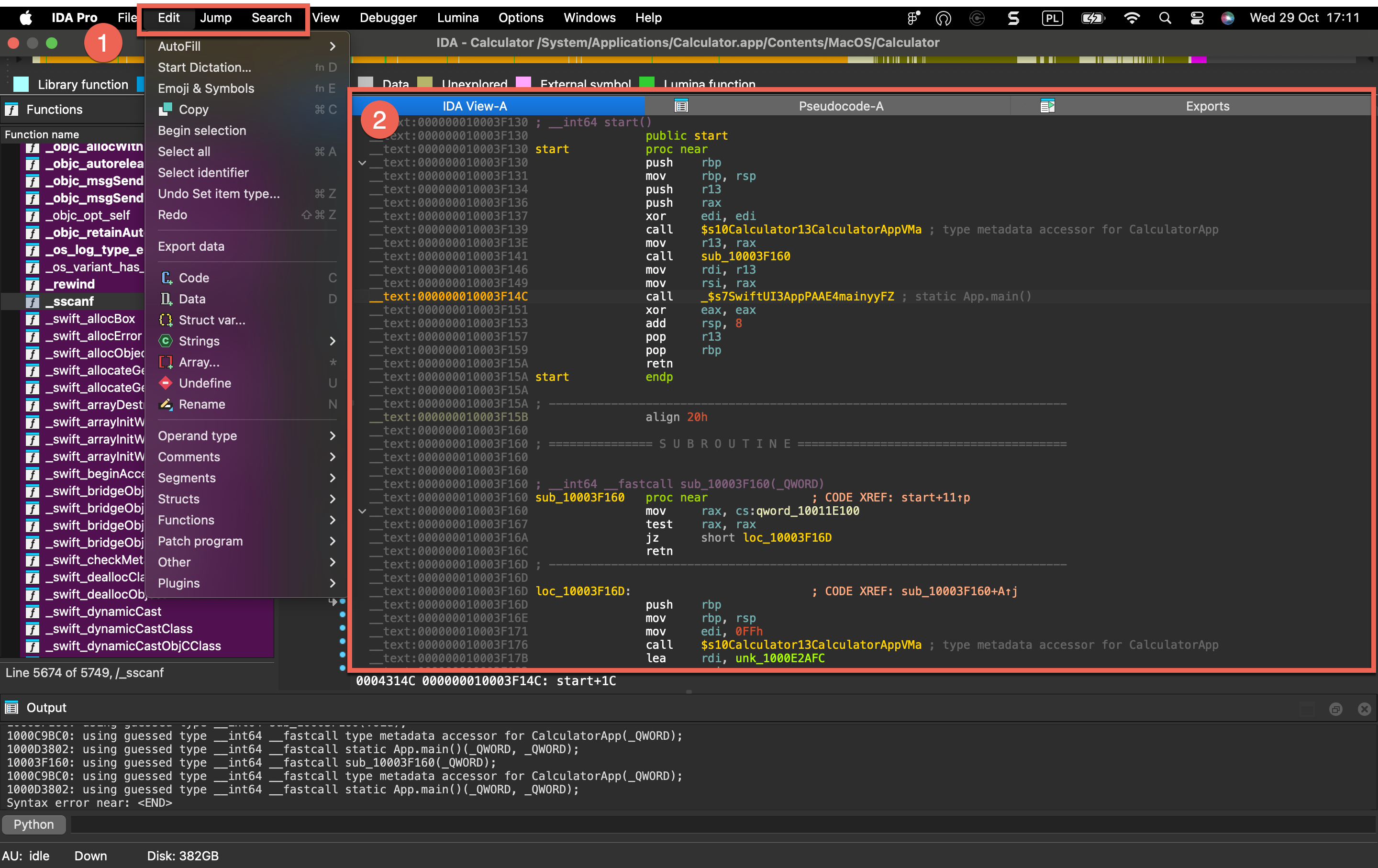
Menu Bar
{% hint style=“info” %} The menu bar in IDA gives you access to whole range of commands. All menus are always available, but some adapt their content based on your current view and your cursor position. {% endhint %}
Context-Independent Menus
These menus provide the same options regardless of which view you’re working in:
- File: Handles opening and loading binaries, importing/exporting data, and producing output files.
- View: Provides fast access and options to show and organize views, graphs, and toolbars.
- Debugger: Provides controls for running, stepping through, and analyzing programs in real-time.
- Lumina: Connects to Private or Public Lumina service to share and retrieve function metadata across different binaries.
- Options: Configures IDA’s appearance, fonts, colors, disassembly preferences, and more.
- Windows: Opens various tool windows and manages desktops.
- Help: Your gateway to various help resources and license manager.
View-Dependent Menus
The following top-level menus (1) dynamically change their content based on your active view (2) and cursor location.
- Edit - Provides context-sensitive editing operations like patching bytes, modifying instructions, renaming symbols, and changing data types.
- Jump - Navigates to addresses, functions, cross-references, and other locations within the binary.
- Search - Search for strings, patterns, instructions, constants, and references in the disassembly.