Bitfields Tutorial
In this tutorial, you will learn how to enhance disassembly output by using bitfields.
Suppose the source code looked like this:
// 'flags' parameter is combination of the following bits:
// (don't use OOF_SIGNMASK and OOF_WIDTHMASK, they are for the kernel)

#define OOF_SIGNMASK    0x0003      // sign output:
#define   OOFS_IFSIGN   0x0000      //   output sign if needed
#define   OOFS_NOSIGN   0x0001      //   should not out sign     ()
#define   OOFS_NEEDSIGN 0x0002      //   always out sign         (+-)
#define OOF_SIGNED      0x0004      // output as signed if


int m65_opflags(const op_t &x)
{
  switch ( x.type )
  {
    case o_displ:
      return OOF_ADDR|OOFS_NOSIGN|OOFW_16;
    case o_near:
    case o_mem:
      return OOF_ADDR|OOF_NUMBER|OOFS_NOSIGN|OOFW_16|OOF_ZSTROFF;
    default:
      return 0;
  }
}
We have a disassembly that looks like this:
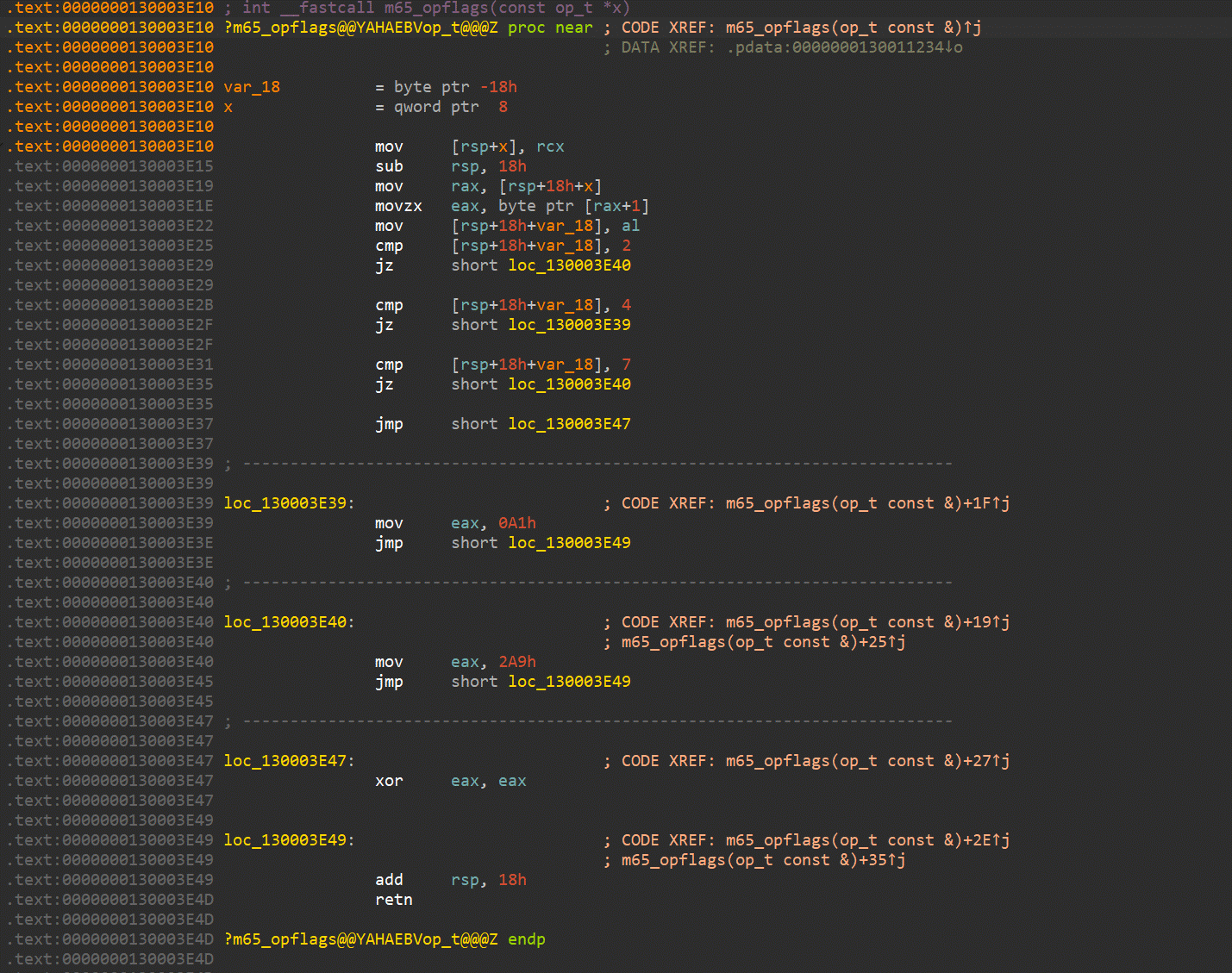
Let’s improve it by using bitfields.
- We first define a bitfield type by going to the Local types window (menu Open subviews -> Local types). We press Ins to add a new enum and make it a bitfield. The name given to the bitfield does not matter much.
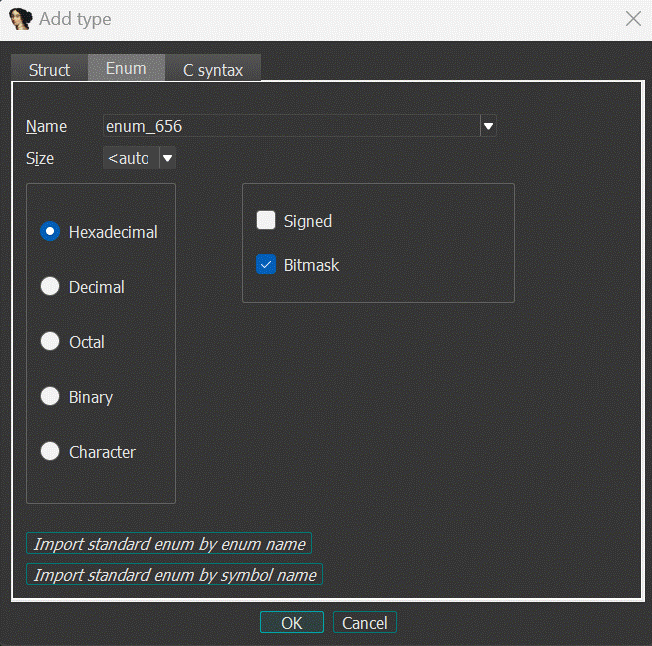
Note that Bitmask has been checked. Click OK.
- Then we edit the enum and update it using the C syntax tab as shown in the screenshot below.
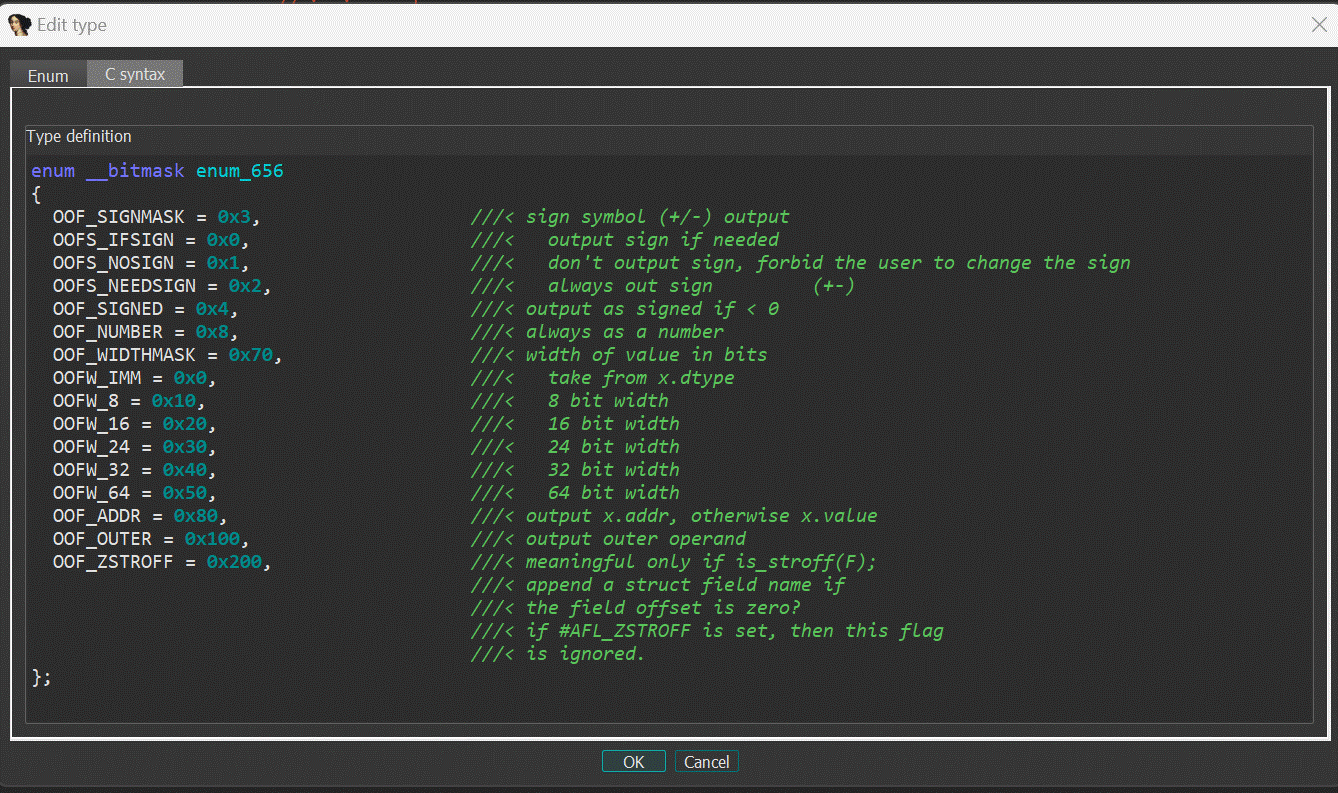
Click OK.
The first bitfield mask is 3 (or 2 bits). The name of the mask is not used by IDA, it is intended as a memory helper. The enum definition becomes:
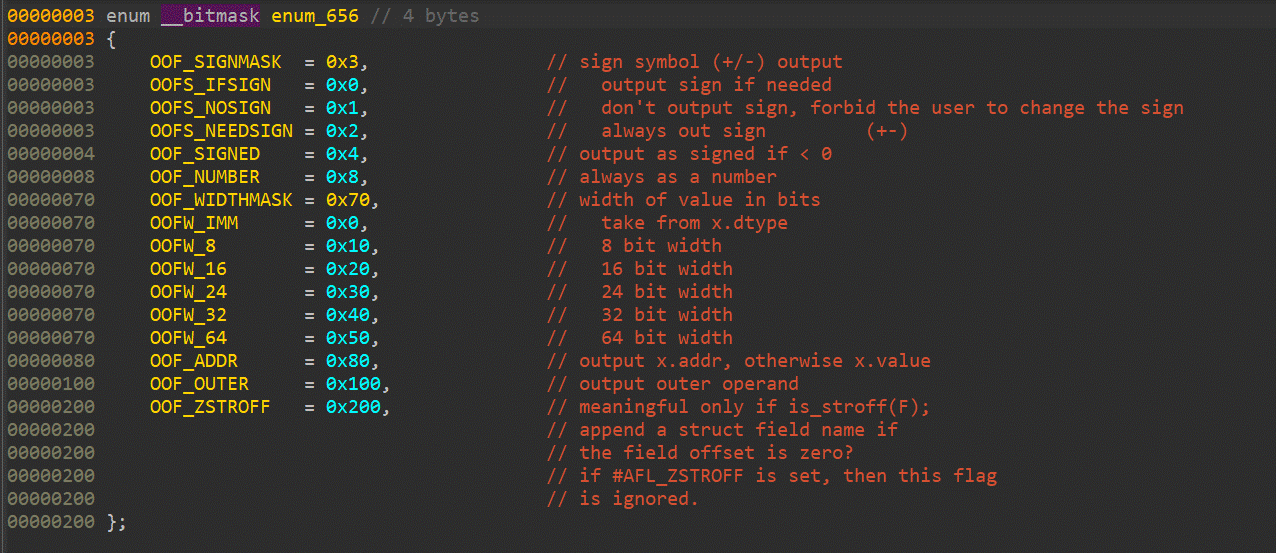
- We finally switch to the disassembly window. Through the Edit -> Operand types -> Enum member menu (or by pressing M on the second operand at addresses 0x130003E39 and 0x130003E40) we select the enum type we just defined and get this result…
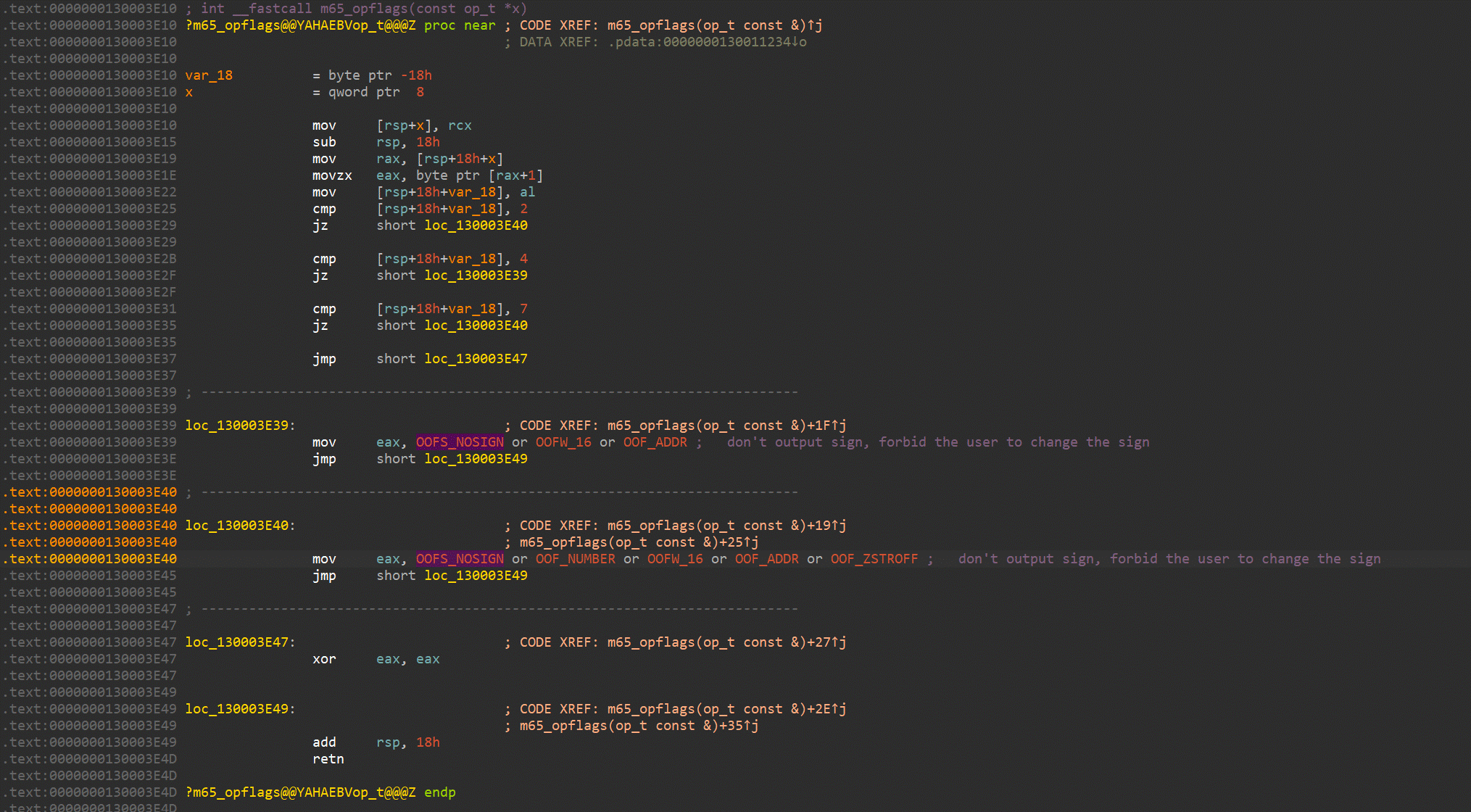
That’s all folks!